
Goldie: Schedule Appointments
QuartetProductivity
4.81.81K Reviews
- Version
- 62.0.1
- Installs
- 500.00K
- Age Rating
- Everyone
Screenshots

Our Review of Goldie: Schedule Appointments
 Analysis by Appyee
Have you ever found yourself drowning in a sea of appointments, wondering how on earth you're going to keep track of them all? Well, that's where Goldie: Schedule Appointments comes to the rescue. This app is like having a personal assistant right in your pocket, ready to help you manage your business schedule like a pro.
Start with the shape of your workday
Before choosing a booking tool, I’d think about what actually goes wrong in your current routine. If clients message at all hours, appointments live in several places, or you regularly have to chase people to confirm a time, a dedicated scheduler can be more useful than another general calendar. If you only arrange a handful of meetings each month, though, a standard calendar may be simpler and less demanding to maintain.
Goldie: Schedule Appointments is a free productivity app from Quartet, aimed at people who book services and need to keep the appointment process moving. It has a 4.8 average from around 12,000 ratings, with more than 500,000 installs. That kind of adoption is reassuring, but I would still judge it by whether its booking and client-management approach suits the way you work, not by popularity alone.
It is rated for Everyone and is available for devices running Android 8.0 or later. The current version is 53.0.0. The app is free to start, while in-app purchases range from $2.99 to $199.99 per item, so I’d check the available plan details against your needs before relying on a paid capability as part of your routine. It first appeared on October 30, 2014, and its long run makes it a more established option than a brand-new scheduling experiment.
Getting Started with Goldie
First off, let's talk about the user interface. The moment you open Goldie: Schedule Appointments, you're greeted with a clean and intuitive design. It's like the app is saying, "Hey, I'm here to make your life easier, not more complicated." Setting up your profile is a breeze, and you're guided through the process with simple steps. Even if you're not the most tech-savvy person, you'll find it easy to navigate.
Features That Shine
What really sets Goldie apart from other scheduling apps is its comprehensive range of features. Let's dive into the most impressive ones:
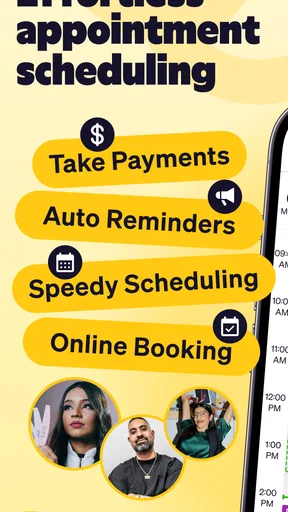
- Automated Reminders: Say goodbye to those awkward "I forgot" moments. Goldie sends out automated reminders to both you and your clients, ensuring everyone is on the same page.
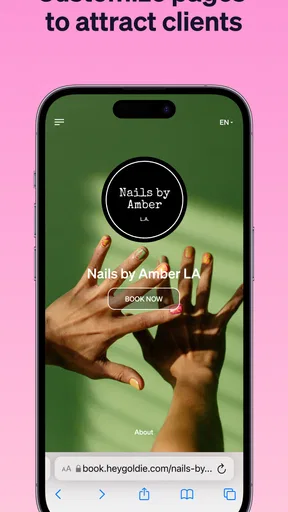
- Customizable Booking Pages: Create a booking page that reflects your brand. You can customize the colors, add your logo, and even personalize the booking process.
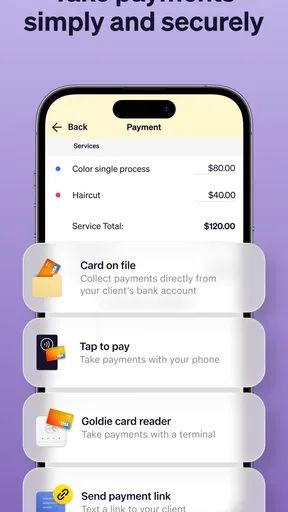
- Payment Integration: Who doesn’t love getting paid on time? Goldie integrates with popular payment systems, making the transaction process seamless.
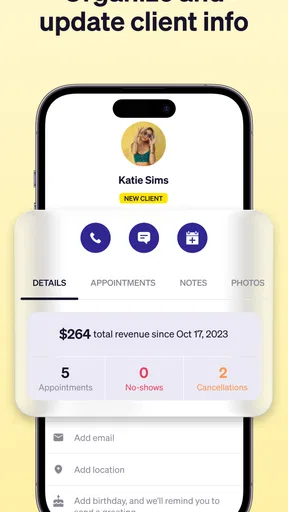
- Client Management: Keep track of your clients with detailed profiles that include appointment history, notes, and contact information.
Where the workflow earns its place
The useful distinction here is that a booking page, reminders, payment handling, and client records belong to the same service-business workflow. A general calendar is good at showing when you are busy, but it usually leaves the client conversation and follow-up elsewhere. Keeping those tasks together can reduce small bits of admin: after a visit, a note about a client’s preferences can inform the next appointment, while the booking history gives context without searching through old messages.
One practical way to get more value from client notes is to keep them brief and decision-focused. Record details that will change how you prepare for the next visit, rather than turning the profile into a second notebook. That keeps information easier to scan when someone is waiting, and it helps avoid the common trap of creating a record system that takes longer to maintain than the service itself.
The booking page is also more than a polished front door. For a solo professional, it can shift routine scheduling away from back-and-forth messages, especially when clients tend to book outside working hours. I’d still review the page as a customer before sharing it: make sure the service choices and booking steps are easy to understand, and check that the presentation feels consistent with how you describe your work elsewhere.
Ease of Use
Now, I know what you're thinking: "Sounds great, but is it easy to use in the long run?" Absolutely! The app's design is user-friendly, and the learning curve is minimal. Within minutes, you can schedule an appointment, send a reminder, and update a client’s details without breaking a sweat. It’s like having a personal assistant who's always on top of things.
A realistic day, and the habits that help
Picture a stylist who starts the morning with a full appointment book, then gets a cancellation while finishing a service. The immediate benefit of a dedicated scheduler is having the day’s bookings and client context in one place, rather than trying to reconstruct the plan from texts and a paper diary. When the next customer arrives, the stylist can focus on the appointment instead of hunting for contact details or trying to remember what was discussed last time.
Reminders can help reduce avoidable missed appointments, but they are not a substitute for setting clear expectations with clients. I’d treat them as one layer of communication, not as proof that every customer has seen or understood a change. If you move an appointment, make a habit of checking the details and confirming the change in the way your customers normally respond. That small human check matters most for tight schedules or clients who are hard to reach.
A second useful habit is to leave a little breathing room when arranging a day that includes preparation or cleanup. A scheduling app can organize the commitments you enter; it cannot decide how much transition time your work requires. If every available minute is offered for booking, even a tidy calendar can become stressful. Build your real working rhythm into the availability you present, rather than expecting the app to solve an overpacked day.
Real-World Application
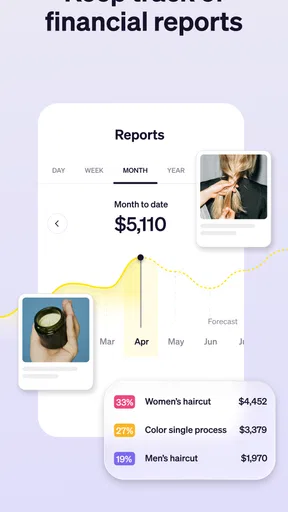
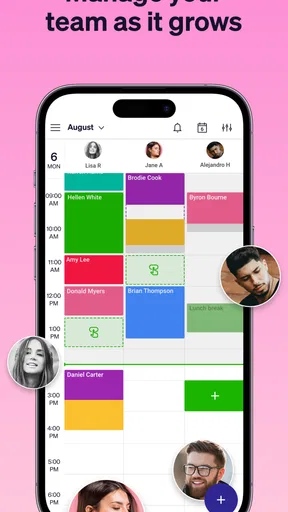
So, how does this app perform in the real world? Imagine you're a hair stylist juggling multiple clients each day. With Goldie, you can easily manage your appointments, send reminders to clients, and even accept payments—all from your phone. It's a game-changer for anyone in a service-based industry.
I've personally used Goldie for managing appointments, and the difference it makes is profound. The stress of remembering every little detail is lifted, allowing you to focus on what really matters: providing excellent service to your clients.
When another kind of tool makes more sense
For someone whose work is mostly internal meetings, a shared team calendar may be the better fit. It is designed around colleagues coordinating availability, rather than a service provider presenting booking options to customers and keeping customer-specific notes. Likewise, a paper diary can remain perfectly reasonable for a very small practice that values a tactile routine and has few changes to manage. The trade-off is that reminders, online booking, and payment steps then require separate processes.
At the other end, a larger operation with several staff members, complicated room or equipment availability, or extensive reporting needs may want a broader business-management platform. I wouldn’t choose a solo-focused appointment app by default just because it is easy to start with; the important question is whether it can represent the real rules of the business. If booking depends on coordinating multiple people or resources, compare those workflows carefully before moving clients over.
Goldie is most compelling for an independent service professional who personally handles bookings and wants the customer-facing steps connected to the day-to-day calendar. It is less compelling if appointments are rare, if customers must always book through a staff member, or if the business already relies on a complex system that everyone knows. In those cases, the cost of adding another place to check may outweigh the convenience.
Room for Improvement?
No app is perfect, and while Goldie is pretty close, there are a couple of areas where it could improve. For instance, while the app does a fantastic job with reminders, having more options for customization could elevate the experience even further. Additionally, while the payment integration is smooth, expanding to include more payment options would be a welcome enhancement.
Overall, these are minor nitpicks in an otherwise stellar app.
What to consider before moving your bookings
Switching tools is not just a matter of installing an app. You need to decide where upcoming appointments, client contact details, and useful notes will live, and how you will tell regular customers about a new way to book. I’d begin by setting up the services and working hours you actually offer, then test the booking journey as if I were a new client. Only after that would I invite customers to use it, so the first impression is clear rather than rushed.
During the transition, keep one authoritative schedule. Splitting new bookings between a paper diary, messages, and an app creates precisely the uncertainty a scheduler is meant to remove. If you need a short overlap while clients adjust, make it deliberate: check each channel at a defined time and copy confirmed appointments into the chosen calendar. Once the new routine is established, stop treating the old method as a second source of truth.
Another question worth answering before committing is how much of the payment flow you want to handle through the app. Payment integration may make collection more convenient, but a business should consider its own preferred payment methods and the steps customers are comfortable taking. Since purchases are available within the otherwise free app, I’d also distinguish between features I need immediately and ones that are merely appealing. That prevents paying for a broader setup before the booking process itself has proved useful.
Final Thoughts
If you're in the market for an app that can help you manage your appointments with ease, Goldie: Schedule Appointments is definitely worth checking out. It's packed with features that not only make your life easier but also enhance the experience for your clients. With its intuitive design and robust functionality, it's no wonder that so many professionals are turning to Goldie to streamline their scheduling needs.
So, why not give it a try? Your schedule—and your sanity—will thank you.
My recommendation
I’d recommend Goldie to a solo stylist, tutor, or other appointment-based professional who wants clients to book through a dedicated page and values having reminders, payments, and client history close to the schedule. Its strongest case is not that it replaces every business tool, but that it can make a recurring service routine less scattered. Start with the parts of your workflow that currently create the most friction, and see whether bringing them together feels natural.
I’d skip it if a basic calendar already handles a low volume of appointments, or if your team needs detailed coordination beyond an individual service provider’s booking flow. The choice comes down to the shape of the work: for client-facing appointments managed from a phone, Goldie is a practical place to begin; for team scheduling or highly specific operational rules, a shared calendar or a larger business system may be the more suitable home.
Verdict
Strengths of Goldie: Schedule Appointments
- User-friendly interface for easy navigation.
- Integrates with multiple calendar apps.
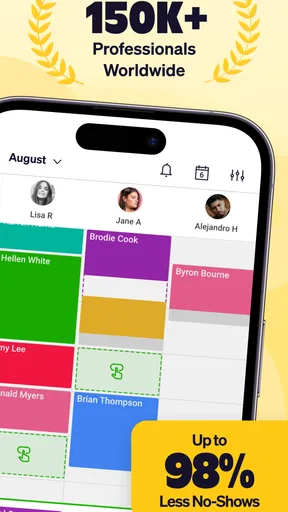
- Automated reminders reduce no-shows.
- Customizable booking options for clients.
- Supports multiple time zones seamlessly.
Limitations of Goldie: Schedule Appointments
- Limited free features in basic version.
- No offline access to appointments.
- Infrequent updates may affect stability.
- Customer support is email-only.
- Some integrations require a premium plan.
Similar Picks in This Category
View All
Google Calendar
Google LLC4.6

Google Drive
Google LLC4.3

Google Assistant
Google LLC3.9

Microsoft OneDrive
Microsoft Corporation4.6

Samsung Calendar
Samsung Electronics Co., Ltd.4.1

Microsoft OneNote: Save Notes
Microsoft Corporation4.6
Frequently Asked Questions
What is Goldie: Schedule Appointments, and who is it for?
Goldie: Schedule Appointments is a versatile app designed to simplify and streamline appointment management for professionals and businesses. Ideal for service providers like hairdressers, therapists, or consultants, it helps manage bookings, send reminders, and keep track of clients efficiently, all from your smartphone or tablet.
How does Goldie ensure user and client data security?
Goldie prioritizes user privacy and data security by implementing robust encryption and secure cloud storage. Only authorized users can access sensitive information, ensuring that your client details and appointment schedules remain confidential and protected from unauthorized access.
Can I customize the booking system to fit my business needs?
Absolutely! Goldie offers extensive customization options, allowing you to tailor the booking system to suit your specific business requirements. You can adjust booking intervals, set working hours, and personalize notifications to align with your brand's voice and operational preferences.
Does Goldie integrate with other tools and platforms?
Yes, Goldie integrates seamlessly with popular calendars like Google Calendar and Apple Calendar, ensuring your appointment schedules are always up-to-date. It also supports integrations with other tools for invoicing and customer relationship management, enhancing overall productivity.
Is there customer support available if I encounter issues with the app?
Goldie provides comprehensive customer support, including a detailed FAQ section, video tutorials, and responsive email support. Users can also access live chat during business hours for real-time assistance, ensuring any issues are resolved promptly and efficiently.
